Manjaro 安装后设置与美化
系统配置
修改软件源为国内镜像,加快软件下载速度
1 | sudo pacman-mirrors -i -c China -m rank |
更新软件列表和软件
1 | sudo pacman -Syyuu |
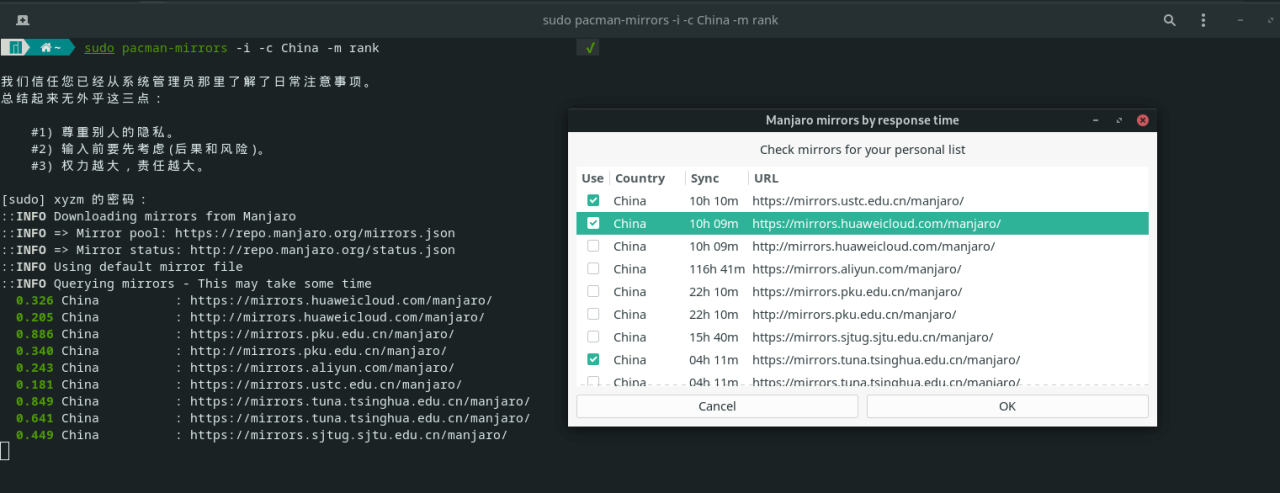
image.png
添加archlinuxcn源
ArchLinuxCN是Arch中文组维护的一个软件合集,包含了中文用户常用的WPS Office、搜狗拼音、Google Chrome等软件。不过系统默认都不包含这个源,因此我们需要手动来配置使用这个源。
1 | echo -e "\n[archlinuxcn]\nSigLevel = TrustAll\nServer = https://mirrors.tuna.tsinghua.edu.cn/archlinuxcn/\$arch\nServer = https://mirrors.163.com/archlinux-cn/\$arch\nServer = https://repo.huaweicloud.com/archlinuxcn/\$arch\n" sudo tee -a /etc/pacman.conf |
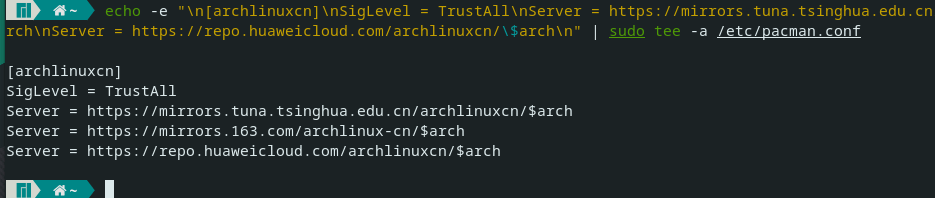
image.png
安装密钥
1 | sudo pacman -S archlinuxcn-keyring |
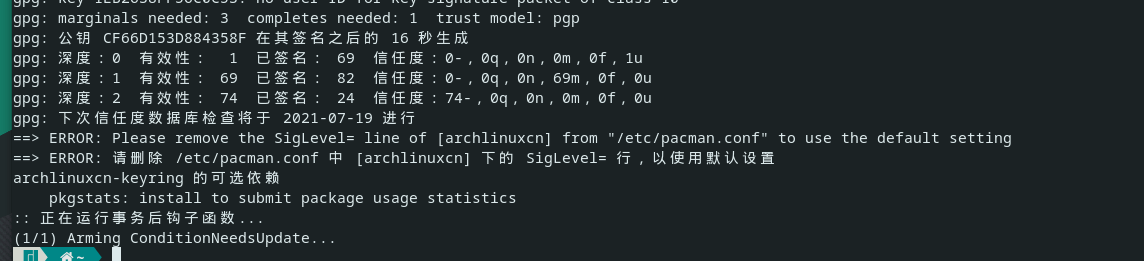
image.png
更新软件列表和软件
1 | sudo pacman -Syyuu |
源地址参考
- 浙江大学: https://mirrors.zju.edu.cn/archlinuxcn/$arch
- 中国科学技术大学 :https://mirrors.ustc.edu.cn/archlinuxcn/$arch
- 清华大学:https://mirrors.tuna.tsinghua.edu.cn/archlinuxcn/$arch
- 网易 : https://mirrors.163.com/archlinux-cn/$arch
运行环境安装
1 | sudo pacman -S clang make cmake gdb git base-devel net-tools curl sqlite dlang pkg-config sqlite ldc |
安装Yaourt和Yay
1 | sudo pacman -S yaourt yay |
时间同步问题
1 | sudo pacman -S ntp |
解决Windows和Linux双系统时间不一致问题
1 | sudo timedatectl set-local-rtc 1 |
解决系统中文乱码
安装中文字体:
1 | sudo pacman -S wqy-zenhei ttf-fireflysung firefox-i18n-zh-cn thunderbird-i18n-zh-cn gimp-help-zh_cn man-pages-zh_cn wqy-microhei-lite wqy-bitmapfont adobe-source-han-sans-cn-fonts adobe-source-han-serif-cn-fonts noto-fonts-cjk wqy-microhei ttf-roboto noto-fonts ttf-dejavu && sudo fc-cache -fv && sudo locale-gen |
然后系统设置里面添加中文语言包,然后本地化设置将中文设置为默认语言,重启即可
图标主题安装
1 | sudo pacman -S gtk-engine-murrine gtk-engines |
输入法解决
安装Fcitx5中文输入法:
1 | sudo pacman -S fcitx5 fcitx5-qt fcitx5-gtk fcitx5-configtool fcitx5-rime fcitx5-chinese-addons fcitx5-chewing fcitx5-pinyin-moegirl |
修改Fcitx5主题
1 | git clone https://github.com/tonyfettes/fcitx5-nord.git |
需要修改~/.config/fcitx5/conf/classicui.conf 文件为以下内容
1 | nano ~/.config/fcitx5/conf/classicui.conf |
1 | 垂直候选列表 |
修改~/.config/fcitx5/conf/pinyin.conf 内容为以下附件内容
1 | https://cdn.nextrt.com/blog/pinyin_1623636543395.conf |
修改系统设置使Fcitx5生效
1 | nano /etc/profile |
1 | export LC_ALL=zh_CN.UTF-8 |
开发环境及工具
Java
安装JDK
1 | sudo pacman -S jdk8-openjdk jdk11-openjdk jdk-openjdk |
切换java 版本
1 | archlinux-java status |
安装Intellij-Idea
1 | sudo pacman -S intellij-idea-ultimate-edition |
Android
###安装AndroidStudio以及安卓开发需要组件
1 | sudo pacman -S android-studio |
Go Nodejs Npm
1 | sudo pacman -S go nodejs npm |
Python
安装Anaconda
1 | sudo pacman -S anaconda |
安装pyenv
1 | sudo pacman -S pyenv |
安装Pytcharm
1 | sudo pacman -S pycharm |
安装VSCODE
1 | sudo pacman -S visual-studio-code-bin |
其他软件
Typora MD编辑工具
1 | sudo pacman -S typora |
安装微软EDGE浏览器
1 | yay -S microsoft-edge-dev-bin |
aria2
1 | sudo pacman -S aria2 |
mailspring
1 | sudo pacman -S mailspring |
onedrive
1 | sudo pacman -S libnotify |
kate 文本编辑器
1 | sudo pacman -S kate |
QQ音乐
1 | yay -S qqmusic-bin |
ToDesk 远程控制
1 | yay -S todesk-bin |
Chrome浏览器
1 | sudo pacman -S google-chrome |
wps
1 | yay -S wps-office ttf-wps-fonts |
网易音乐云
1 | sudo pacman -S netease-cloud-music |
压缩解压缩
1 | sudo pacman -S file-roller unrar unzip p7zip |
motrix
1 | yay -S motrix-bin |
utools
1 | yay -S utools |
screenfetch
1 | sudo pacman -S screenfetch |
百度网盘
1 | yay -S baidunetdisk-bin |